Password Required ???

Here is something weird that keeps happening with my router.  Occasionally I have to go into the router and delete the password files.  There shouldn’t be any passwords as the permissions are set to public, but Win7 keeps asking for a user/password.  All of my attempts at guess a generic password have failed.  Instead I have to telnet into my router and delete the secrets.tdb and passwd.tdb files in the /opt/etc/samba directory.

If someone knows how to fix this I’m all ears.

PS3 Media Server

So back when I wrote that the website was back up I mentioned the PS3 Media Server.  This is a great free program that will allow you you stream pictures, music, and videos from your pc to your PS3.

Well I have been having a bit of a problem, but I just figured it out and thought I’d type about it.

The problem:  Network drive folders are not showing up on the PS3.

The Observables:  Prior to making the PS3 operate as a service everything worked fine.  When I clicked on the “Install as Windows Service” button on the “General Configurations” tab.

The Solution:  After reading through the PS3 Media Server forum I came across this thread which suggested that the solution was how the service was being run.   I added to the thread for my solution, but here it is again.  It turns out that I did have to go into the PS3 Media Server Service settings and from the “Log On” tab change the log to use “This account” and not a “Local System account”. Make sure you use the Browse button, enter your user name and then click “Check Names” button to ensure that the user account name is correct.  For me it came out as ‘.\UserName’ sans-apostrophe. Next type in your password, even though there are dots, and click apply. It should tell you to then stop the service and press start again for the settings to take place. Once I did this my network drives all work. I suppose the other option is to change the permissions on how my drives are mapped, but since this is working I’m done.

October Sun and Pirates

October sure seemed to go by fast.  After having a really gloomy September, October really came out in full force on the weekends getting into the mid-80s.  We enjoyed 2 super sunny beach weekends; it was just locals and no tourists…peaceful. We also had fun going up to the Palisades to celebrate Lisa’s grandfather’s birthday with the whole family.

Trouble came the third weekend with our friend Chris LaPlaca visiting from Chicago and Alex.  The first morning we filled up on a gourmet waffle breakfast using the waffle mix my mom gave us from San Antonio.  After breakfast we headed out for a little pub peddle starting up in Playa del Ray at The Shack and working our way back with stops at OB’s and Simmzy’s.

Pub peddle stop at OB's

Our Mammoth ski passes came in the mail which is making me excited for another ski season.  I bought some more ski tuning gear and will be in the garage shortly getting our skis ready for the first turns of the year.  Neil has been sending me videos of some big time skiing at Silverton and I’m getting pumped.  We almost couldn’t tell if it was us on the video or not, but we are thinking the big cliff drops and aerobatics might not be us

We also went to Denver for Halloween weekend were there was snow on the ground (just  fueling the ski season anticipation) and had a great time staying with Gina, James, and Riley.  Riley let me into his pirate gang. I got play swords and wear his pirate hat all weekend (starting every morning with a “do you want to play swords” while we were still in bed).

We got to see Mark at the Vine Street pub and had a good time over a few beers.  Discussions ensued about looking into a Colorado ski trip  this season…we will see.  Saturday’s plans were to go to the Zoo, but there were way too many people so instead Lisa did some boot shopping at the Cherry Creek Mall and we watched a bit of football at the Cherry Cricket. On Sunday the Gilmore’s hosted a Halloween party for the kids which was pretty fun.  We were happy to see Haley and hear that she is getting better everyday.  It was fun for Lisa to see all of Gina’s high school friends that live in Denver.

Well we are into November now, but I’ll save all the current happenings until the November update.

We hope everyone is doing well

Love,

Brian and Lisa

Discovering Symbolic Links

A while back I was trying to do symbolic links in Windows 7 like you can do in Linux.  I didn’t try too hard as I really didn’t have a good need for it at the time.  Well I recently found a good need for symbolic links so I looked a bit harder.   Not too long later I came across several sites that recommended Link Shell Extension.  After messing around with this a while I can say this does exactly what I want….almost.

For my use I want to be able to share some pictures on FTP for friends to download, but I don’t want to let the FTP program, Filezilla, have access to all my pictures.  I also dodn’t really care to have pictures in two places (my pictures folder and in the FTP folder).  With symbolic links I am able to keep the pictures in my personal pictures folder and then create a symbolic link in the FTP folder.   Now I only have one copy of the pictures on my computer and my FTP folder can only see the pictures that I’ve linked.

Before using this I did a quick test.  If you delete the symbolic link the files are not deleted, but if you go into the folder that is linked and delete a file within it the actual file is deleted.    For how I don’t think I need to use hard links as programs seem to work fine with the symbolic (or soft) links.

The one thing that I was hoping to do was to link files from my external hard drives shared through my ww-drt flashed router.  It seems though that the link shell extension program will only work with local files.  For now not a big deal, but I’ll probably keep my eyes out for a solution.


Setting up UltraVNC

I’ve found UltraVNC to be a great free program to maintain the computers that we have.   I’ve now setup all of our computers to use a fixed IP address and each has their own server port.  Our router now fowards the external port calls to each PC.  I’m now able to log in from outside computer or my phone to the computers.

Recently, when I installed uVNC I ran into a problem where once I was logged in the computer wouldn’t respond to any of my inputs.  I checked the settings and the “Disable user inputs” was not checked.  After quite a while I gave up.  I completely uninstalled uVNC from both computers.

When installing I choose to do a full install, downloaded the mirror and vista drivers (though I don’t know if I really use or need them, and choose to not have it setup as a service but rather application mode instead.

Because it was in application mode I opened up the “Edit Settings” icon that came with uVNC.  This is where I think I discovered the problem.  When the application opened I noticed that it loaded all of the old settings (a good thing), but I noticed that the “Disable user inputs” was selected.   Weird since I know it wasn’t selected beforehand.

Well I started up the server side and logged in on the viewer side.  No problems, everything worked just fine.  From there I selected to load it as a service and now I’m all setup.

A couple of quick notes, make sure that you have the firewall disabled or the proper ports configured correctly.  Related to the last note, make sure your networks are setup with the right type Home or public as the firewall rules run may be different for each type.


Issues loading Windows 7

What I thought would be a 1 hour task took closed to 10 frustrating hours.

I completely wiped my entire computer and re-established the RAID system.  When I bought Windows 7 upgrade I created a boot CD and thought I’d just put that in and install windows.  Well the install went through just fine until I had to enter my product code.  Apparently since I bought the upgrade I needed to have another verison of Windows already installed.  So no problem I figured I would just use the Vista CD that came with my computer.  Well it isn’t a bootable disk which posed as a problem.  I attempted to create a USB boot disk following a few instructions from web sites, but that didn’t seem to work.

I decided to cheat a bit then.  I re-isntalled Windows 7 using my disk and then found a product code online that worked for a Dell (32KD2-K9CTF-M3DJT-4J3WC-733WD — XXXXX-OEM-8992671-00524 — DELL).  I made sure to keep my computer offline as I imagine the product code is banned by Microsoft.

Once Windows 7 was installed I used my legal Windows Vista 32-bit CD and did a full clean install.  From there I then did a full install to Windows 7 64-bit using my paid product code.

So in total it took 3 installs to get my PC back working, but in reality it took me about 12 attempts to get there.  Not a fun time to get back up and running and I’m really disappointed to find out that Dell didn’t give me the tools to install Vista on my own.

September

My monthly blog streak is now 2!  September was another fast month.  We began with a fun Labor day weekend.  Our friend Gilbert was back in town for a night which meant trouble at Fat Face Fenners.

Another exciting event this month was the Labor Day Sales for mens suits.  After having one suit for the last few years I finally got another one along with two new sports coats, some shirts and ties, and a belt.  This was good timing as I had a brief encounter with the VP of Boeing and looked pretty snazzy in my new outfit.

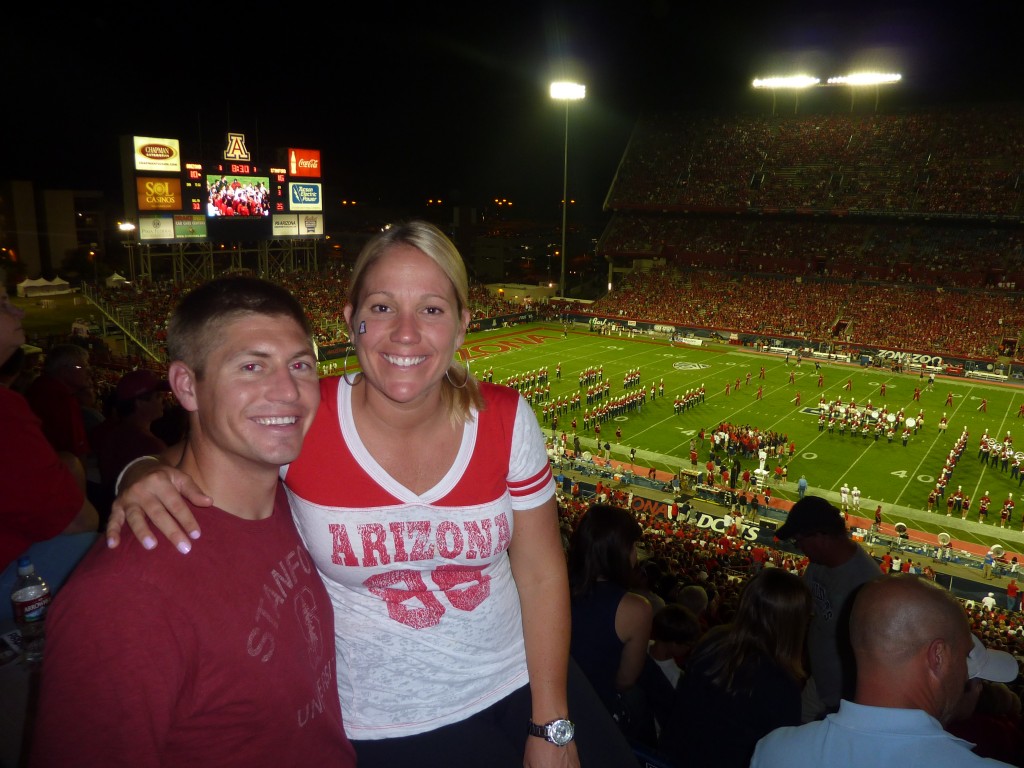
The following weekend, we made a road trip to Tuscon for a quick get away.  Lisa hadn’t been back to see her alma mater since she graduated.  We had a great first evening with my cousin Jeff, Michelle, and baby Cliff.  Saturday we walked around campus, saw Lisa’s sorority house, and laughed repeatedly as Lisa jumped in excitement each time she saw an old bar that she used to visit!  We had some lunch and drinks in the downtown area.  The Dintleman’s made a brief appearance, but it was a little too hot for Cliff’s taste.  We made a stop at the bookstore to get some new shirts.  Then back to the hotel to change and had a few beers at the hotel bar, which used to be called the Regal Beagle (“it hasn’t been called that for a really long time”…said the bartender).  This really made Lisa feel old!!!!  I guess it has been 10 years since she graduated college.  By this time most of our crew was together, Josie, Abalos, Susan, Amelia, Lisa, and I.  Our psuedo-tailgate was at Champions and then we went to the Stanford vs UofA football game.  Jeff and his friend Bill met us at the game.  Such a good time with a Stanford win!  Finally the night got pretty loud at Dirt Bags and the Trident bar.  We had a lot of fun in Tuscon and had a great time seeing everyone.

The next weekend we went to a big rock concert called the KROQ Epicenter.  I don’t think Lisa cared for the music much, but I had a great time.  An unexpected surprise was hearing the old singer from House of Pain sing “Jump Around” with his old DJ present.

For the last week, Lisa had Thurdsay off so I decided to skip out of work early and we had a nice walk along the beach and steaks for dinner.

Looking at our calendar the rest of the year looks to be busy with trip for Lisa to Phoenix, a visit to Denver, I’m in DC for work for a week, a visit to Rollie and Jeni’s new home and the Stanford vs Oregon game, Thanksgiving in Farmington….and work somewhere in between.


August Happenings

Hello family and friends!  I created this blog a long time ago with the intentions of sending out monthly updates about Lisa and I.  This will be the first one.  Hopefully I get better at this.

We had a really busy August.  Lisa has a new gym, Equinox, and spends a couple hours a day there.  She is a workout machine.  She has also discovered these protein pancakes…a little weird for me, but she loves them

Continue reading “August Happenings”

SD Card not working on my HTC Evo Shift

Here is a small issue that I ran into.

After upgrading my HTC Evo Shift to Gingerbread I discovered that I could no longer connect my phone to my computer and get to the SD card.  I tried installing the latest HTC Sync software, but that didn’t seem to fix the problem.  I read a few other blogs and then tried getting the latest Android SDK.  After installing that I’m back up and running.  Pretty simple, but pretty annoying.

Gingerbread Update for rooted Sprint HTC Evo Shift

This weekend I updated my Spring HTC Evo Shift to Gingerbread (Android 2.3).  There was a pushed update by Sprint, but since I had rooted my phone it wouldn’t take.  Lisa has the same phone, but not rooted and the update went just fine.  So I resorted the internet to figure out what to do.  I found this link which listed and went to the “ROOTED “Official Update” – x99_GB_Sense_Stock_Rooted” which linked to the ROM download.  I tried downloading this on my phone, but the download site 4shared.com keeps restarting the counter.  So I downloaded this on my PC and placed it into the root directory.  Before I implemented the root I looked into how to best back up my phone before proceeding.    There was a good post on the same forum with the ROM that mentioned to use the following 3 programs:

I did a backup of the call logs, SMS, and then Apps (in that order).  The I went to bootloader and did the following:

  • wipe data / factory reset
  • install ROM

Everything loaded up fine and I started the recovery process.  First I had to enter in my google account info and then downloaded the Titanium Backup App.  Did the batch restore.  This worked out pretty well.  It was kind of annoying to choose to reinstall everything, but at least it worked for the most part.  Some of the apps didn’t ask to reinstall, not too sure why, but I looked in my downloaded app in Google Market and just manually selected to re-download them.

At one point I got an error that my phone was full at which point I realized that all the apps were installing to the phone and not the SD card.  Before the update I had changed the settings in my phone to default to installing them on the SD card , obviously the new ROM didn’t have this.  This link shows what to do for Android 2.2 and I suspect that it works for 2.3, but haven’t tried.  I found that Titanium Backup had an option to move all apps to the SD card.  I did this and then moved a few that I use frequently back to the phone.

Well everything to restore pretty well.  A few apps asked for login information again, but after that retained their setting.  Some kept crashing, Google Maps and Facebook, but after going into the Manage Applications menu and clearing the Apps cache they worked fine. Next, I ran the restore function for both the SMS and call log apps.  Presto their back.

The next problem that I found is that the weather & toggle widget that I use to emulate the HTC Sense clock wasn’t available to add as a widget.  It was installed, so I uninstalled it, then re-installed it.  Another Google search turned up that in Android 2.3 widgets can only be selected for apps installed on the phone, not on the SD card.  So a quick move to the phone and my phone is back exactly the way it was before (except for 2.3 of course).

All in all, a pretty painless process.  It took a bit longer than I imaged, but I’m happy that with only a couple of hicups my phone looks just as it was before the update.

The main thing I noticed from about 2.3 is how fast it turns on and off.  Actually, I noticed this from Lisa’s phone when we were in Italy and was somewhat jealous.  Other than that I haven’t seen or had a chance to see if the battery life is the better as claimed by Google.